.webp)
.webp)


.webp)

.webp)
.webp)
.webp)




.webp)
%20(3).webp)
.webp)
#1 Trumpet alternative
Flowla vs Trumpet
Trumpet pods are built by hand. Flowla rooms build themselves.
Trusted by revenue teams closing and onboarding at scale







Key takeaways
Choose Flowla if you
- ✓Want AI that acts on deal signals and analytics, not just reports them
- ✓Want a unified intelligence layer combining room activity, call context, emails, your CRM and more
- ✓Need CRM integration + agentic AI functionality without committing to an enterprise tier
- ✓Have historically struggled with rep adoption
- ✓Want one room that carries from first touch through onboarding and renewal
Consider Trumpet if you
- •Want a platform that surfaces deal signals and are happy to act on them manually
- •Want a visually polished microsite experience
- •Are running a pure sales motion with no CS or post-sale coverage needed
- •Have disciplined reps who will build a pod on every deal without prompting
- •Have budget to unlock all the extra features you need

faster time to implement


rep adoption


increase in forecast accuracy

.webp)
more closed won

Three principles behind Flowla's digital sales rooms
Rooms build and run themselves
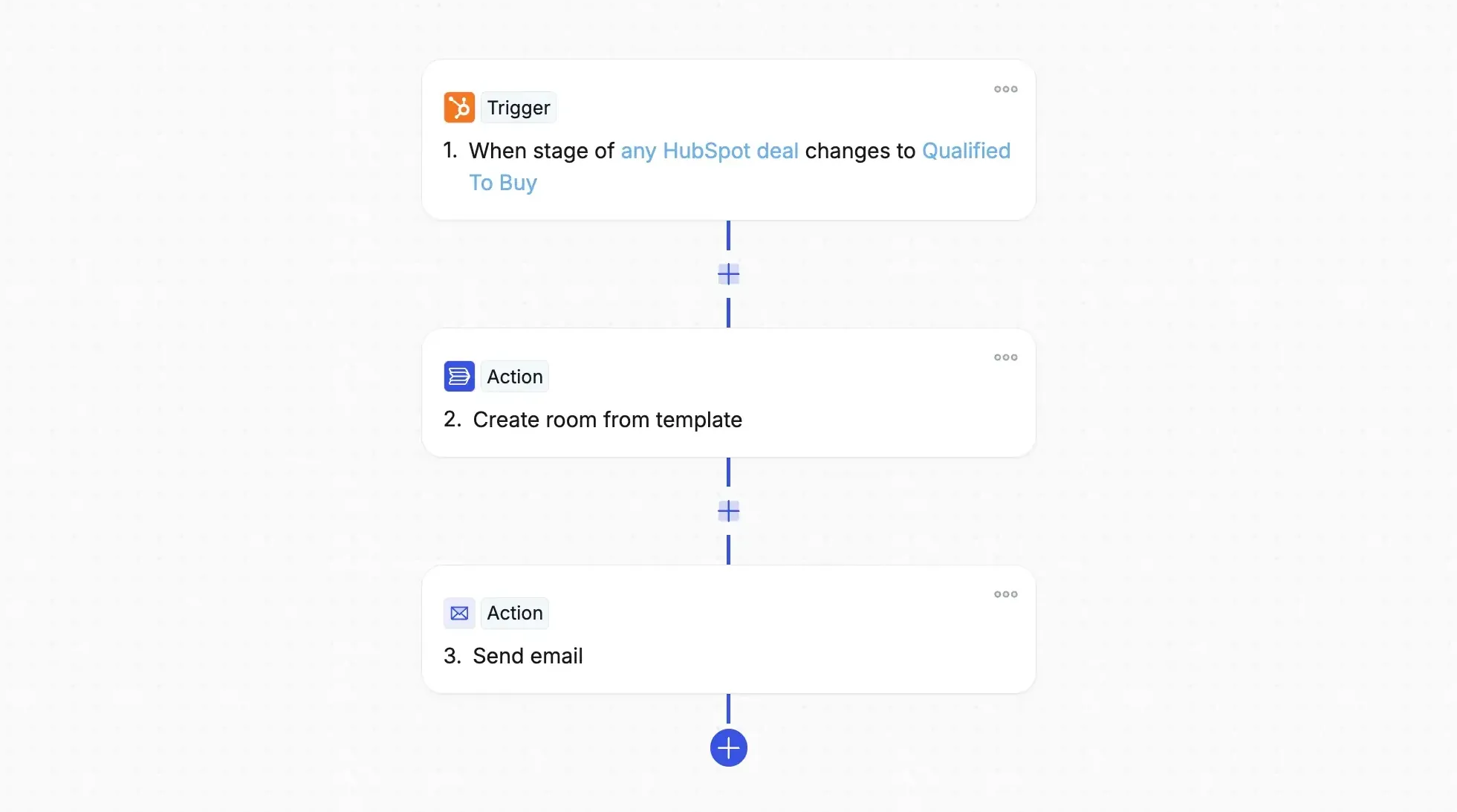
Most DSR tools are only as good as the rep who builds them. Flowla is built on the opposite idea: the room should run itself.
- Autopilot builds rooms straight from CRM activity, no rep needed
- REX drafts follow-ups and queues next steps on its own
The rep shows up to a room that’s already there.
One intelligence layer across the whole deal

Knowing who opened a room isn’t insight. REX reads your entire deal context and acts on what it finds:
- Room activity: who visited, what got completed, where they stalled
- CRM data: stage, contacts, and updates, synced live
- Calls and email: transcripts, outreach, and reply signals
REX turns all of it into the next right move, and takes it.
A guided journey, not a microsite

Most DSR tools hand buyers a workspace and let them find their own way. Flowla walks them through it instead:
- Step-by-step: always clear what’s next
- No endless scrolling: every page has one job
- Consistent every time: same structured experience, whichever rep owns the room
What customers tell us after seeing both
The same three themes come up every time customers are evaluating Trumpet and Flowla side by side.
Beautiful designs should be intuitive to navigate
"Trumpet's pods look exceptional, their microsite aesthetic is their clearest differentiator. But that format leaves buyers confused about which next steps are required."
Evaluation feedback
Rooms must build themselves without rep input
"Trumpet doesn't do that sort of AI, a lot of the data is stuck in Trumpet itself. My biggest concern is usage amongst the reps, and you guys did a good job demonstrating how light of a lift it actually is."
Alvin C.
The deal doesn't end at signature
"Trumpet pods are primarily a pre-signature sales tool. Teams running CS, onboarding, or renewals told us they don't want to re-platform six months after go-live."
Evaluation feedback
Flowla and Trumpet, in detail
Flowla

The Flowla room: a guided, step-by-step journey. The buyer always knows where they are and what comes next.
Trumpet
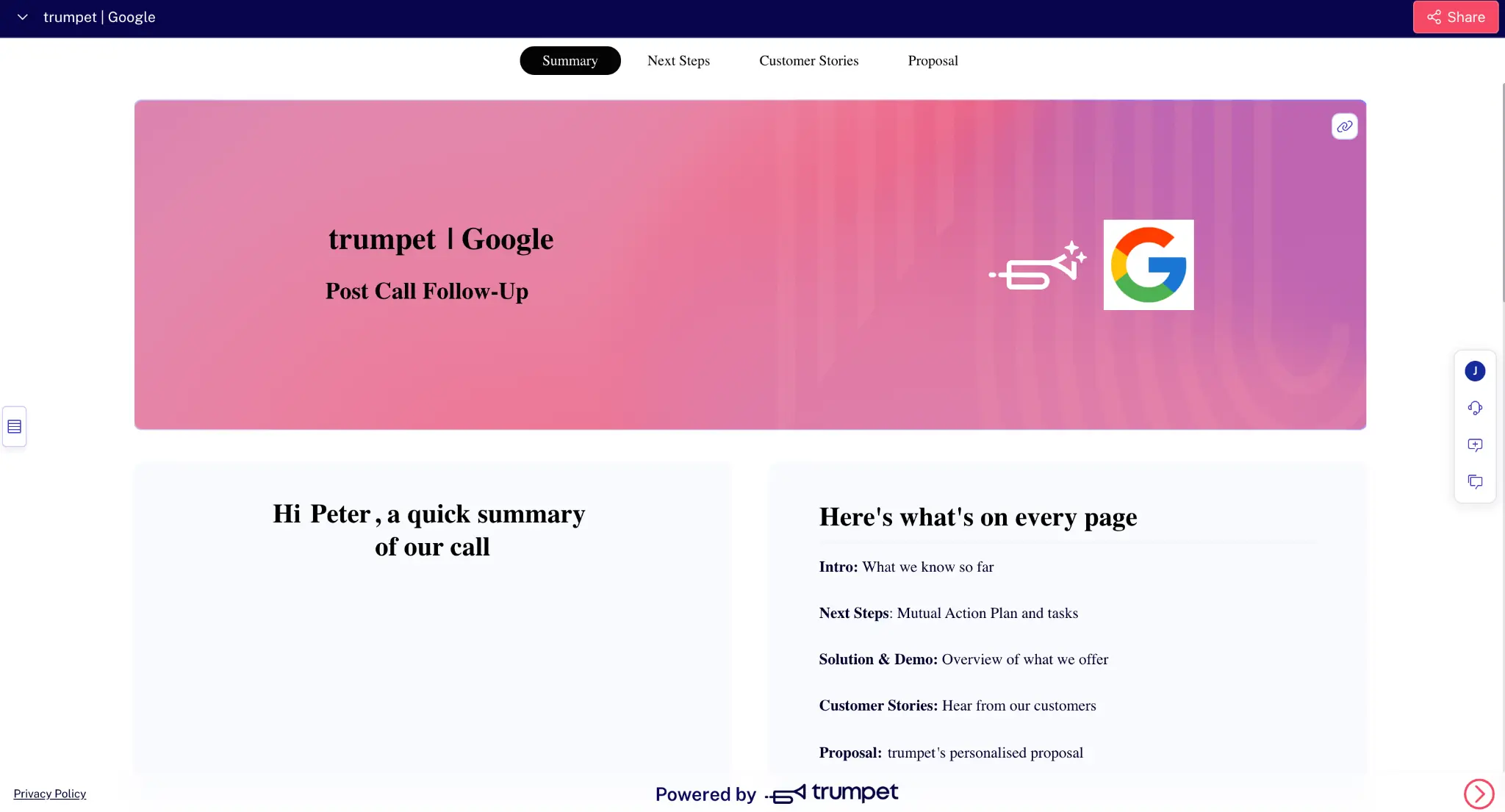
The Trumpet pod: a polished microsite with tabbed sections. Buyers browse and explore rather than follow a set path.
What each does well
Flowla
- Autopilot automates room creation and content from context across your revenue stack: CRM, call transcription, emails, and more
- Same room continues from sale through onboarding and renewal, no second tool to set up and adopt
- Step-by-step buyer journey, clear navigation for every stakeholder
- Native e-signature, forms, and MAPs built in
- Full REX AI suite and CRM sync included from the free Starter plan
Trumpet
- Polished buyer-facing design, consistently praised for the visual quality of its pods
- Copilot Agents draft pod updates from calls and CRM changes, pending rep approval (Elite)
- Ask AI Deal Assistant: buyer-facing chatbot answers prospect questions in-room (Elite)
Where each is weaker
Flowla
- No in-room buyer chatbot (AI operates on the seller side)
- Higher entry price on paid tiers, though it includes more functionality than Trumpet's Pro tier
Trumpet
- Automated pod creation exists, but it's confirm-and-accept rather than unattended, and gated to Elite at $160/seat
- MCP integration gated to the Elite plan
- E-signature, forms, and AI automation only available from the Scale plan
- No AI that acts autonomously. AI reports and suggests but does not execute
- No unified intelligence layer combining call transcripts, email, and room data
Pricing
Flowla
$0
Starter: full experience limited to 20 rooms$99
Team: unlimited rooms, full REX AI suite, CRM sync, Deal Intelligence, stakeholder mapping, e-signature, MCP, priority supportCustom
Enterprise: SSO, custom playbooks, LMSTrumpet
$0
Free: 10 pods, basic analytics, MAPs$45
Pro: CRM integrations, unlimited pods, up to 5 users$100
Scale: e-signature, forms, Trumpet AI suite$160
Elite: MCP, buyer chatbot, SSO, org chartsFeature comparison of Flowla vs. Trumpet
Questions teams ask during evaluations
Is Flowla better than Trumpet for onboarding?

For teams with a dedicated CS motion, yes. Flowla carries the same room from first sales touch through onboarding, implementation, and renewal, so the context built during the deal, stakeholders, engagement history, MAPs, stays intact when CS takes over. Trumpet has added a Customer Success Hub, but it has historically been focused on the pre-signature window. If you're running pure sales with no handoff, both tools work.
How is Flowla different from Trumpet?
The core difference is automation versus design. Trumpet is known as the most visually polished DSR in the category, but every pod must be built manually by a rep. Flowla trades some design depth for automation: rooms create themselves from CRM triggers, REX acts on deal signals rather than just reporting them, and the room carries from sale through to CS and renewal. If your problem is rep adoption or post-sale continuity, Flowla addresses those structurally. If your problem is buyer presentation quality and your reps are disciplined, Trumpet's design lead is real.
Trumpet looks cheaper, is it?
Trumpet's Pro plan is close to Flowla's entry price, but it's capped at five users, and it's also on Trumpet's own pricing page. A team of six or more is priced at Scale, before buying a single AI feature. Flowla includes e-signature, forms, CRM integration, and MAPs on all paid plans. On Trumpet, e-signature and forms require Scale, and MCP requires Elite. At a feature-equivalent comparison, and once team size is accounted for, Flowla is substantially cheaper for most revenue teams.
What happens to a Trumpet pod after the deal closes?
Trumpet's pods can remain live and evolve after signature rather than being replaced at each stage, and Trumpet has recently positioned Copilot as covering onboarding and renewal too. What's less clear is how developed that post-sale motion actually is versus Trumpet's core sales use case. Flowla's onboarding and CS tooling has been built out specifically for that handoff, stakeholder context, MAPs, and engagement history carrying over automatically.
Who is Flowla built for?
Revenue teams, sales, customer success, and RevOps, running complex, human-led B2B processes. It's a strong fit if you manage multiple stakeholders across long deal cycles, if rep adoption of manual tools has historically been a problem, or if you want sales and CS on one platform rather than re-platforming after the deal closes.
How does Flowla handle scale, for example, hundreds of rooms at once?
This is where automation matters most. With Trumpet, every pod is built manually, so 200 rooms a quarter means 200 manual creations, and adoption breaks at that volume. Flowla's Autopilot triggers rooms automatically from CRM activity, so running 20 rooms or 200 is the same process with no extra rep effort.
Does Flowla integrate with Salesforce and HubSpot?
Yes, native Salesforce, HubSpot, and Attio integrations are included from the free Starter plan. Flowla also connects with Slack, Gong, Fireflies, Gmail, and Outlook. See the full list at flowla.com/integrations
Is Flowla secure?
Yes. Flowla is SOC 2 Type II certified, GDPR and CCPA compliant. Full details at flowla.com/security
The era of self-driving deals starts with Flowla.
Bring one live deal. We'll show you the system running underneath it, scores, signals, and the next move, made for you.