.webp)
If you’ve landed on a shortlist with Dock and GetAccept, you’re likely dealing with familiar frustrations: Deals falling apart in the follow-through, stakeholders losing context, next steps living in someone’s notes, proposals getting ignored.
Dock and GetAccept both aim to fix this, but they tackle slightly different breakdown points in the sales process. Dock focuses on giving teams a shared, structured space to manage work across sales and customer success. GetAccept zeroes in on the final stretch – proposals, contracts, and signatures – where execution speed matters most.
In this post, we’ll take a practical, side-by-side look at Dock and GetAccept, covering how they’re actually used, how they compare feature by feature, what users say about them, and how pricing works in practice. We’ll also highlight other options available for teams that need both alignment and execution, without stitching together multiple tools.
Let’s start with a closer look at how Dock and GetAccept typically show up in real sales processes.
While Dock and GetAccept are often compared as “digital sales room” tools, teams usually adopt them for slightly different reasons. Understanding where each platform tends to sit in the sales process makes the rest of the comparison much clearer.
Dock is typically adopted by teams trying to keep everyone aligned once deals get complex (not just sending proposals or getting signatures).
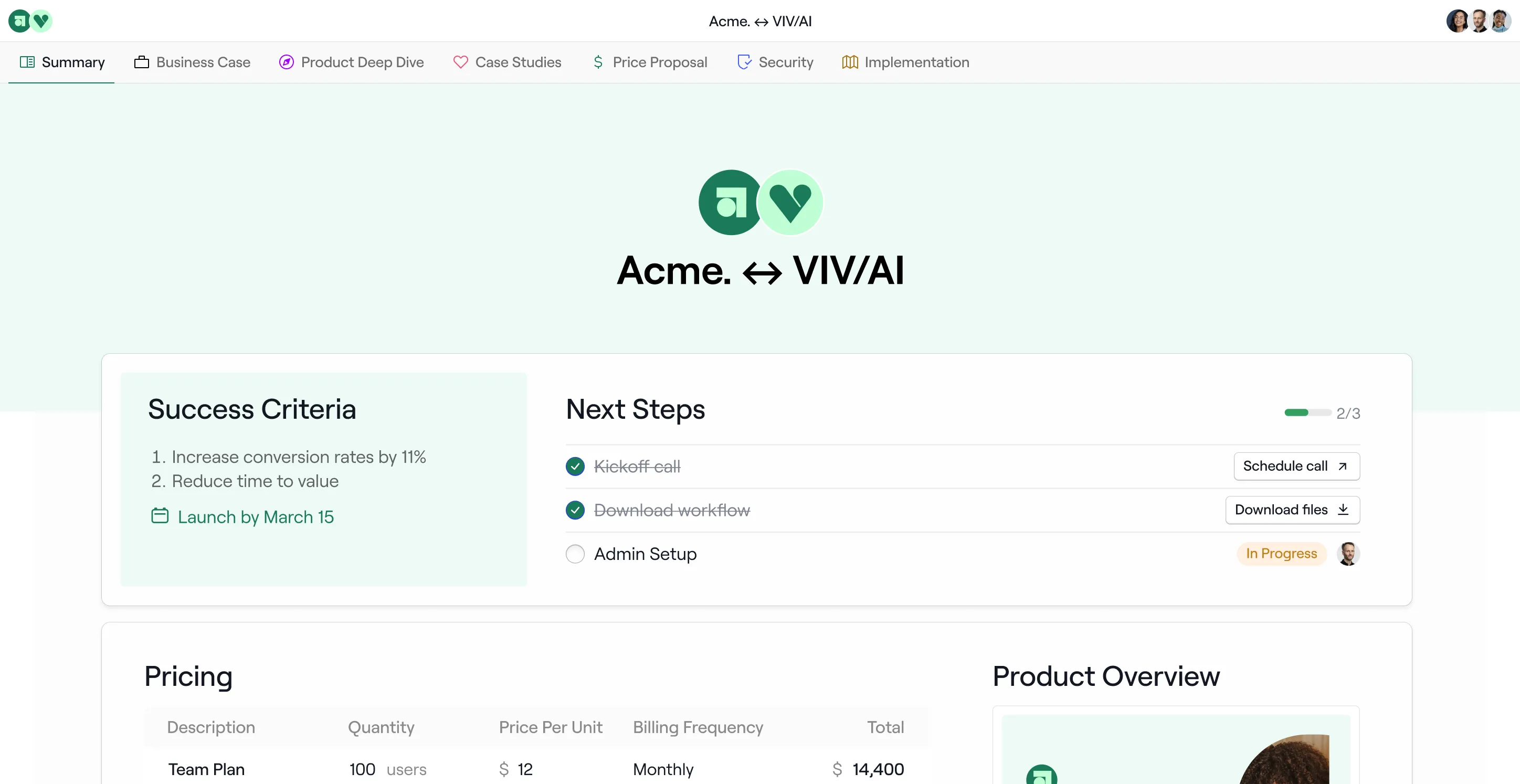
It is designed around shared workspaces that bring together content, tasks, timelines, and collaboration in one place. These workspaces often live beyond the close, which is why Dock is commonly used by both Sales and Customer Success teams. Rather than focusing on a single deal moment, Dock supports ongoing coordination across onboarding, renewals, and expansions.
Teams use Dock to:
GetAccept enters the picture when there’s execution friction, particularly around proposals, approvals, and contracts.
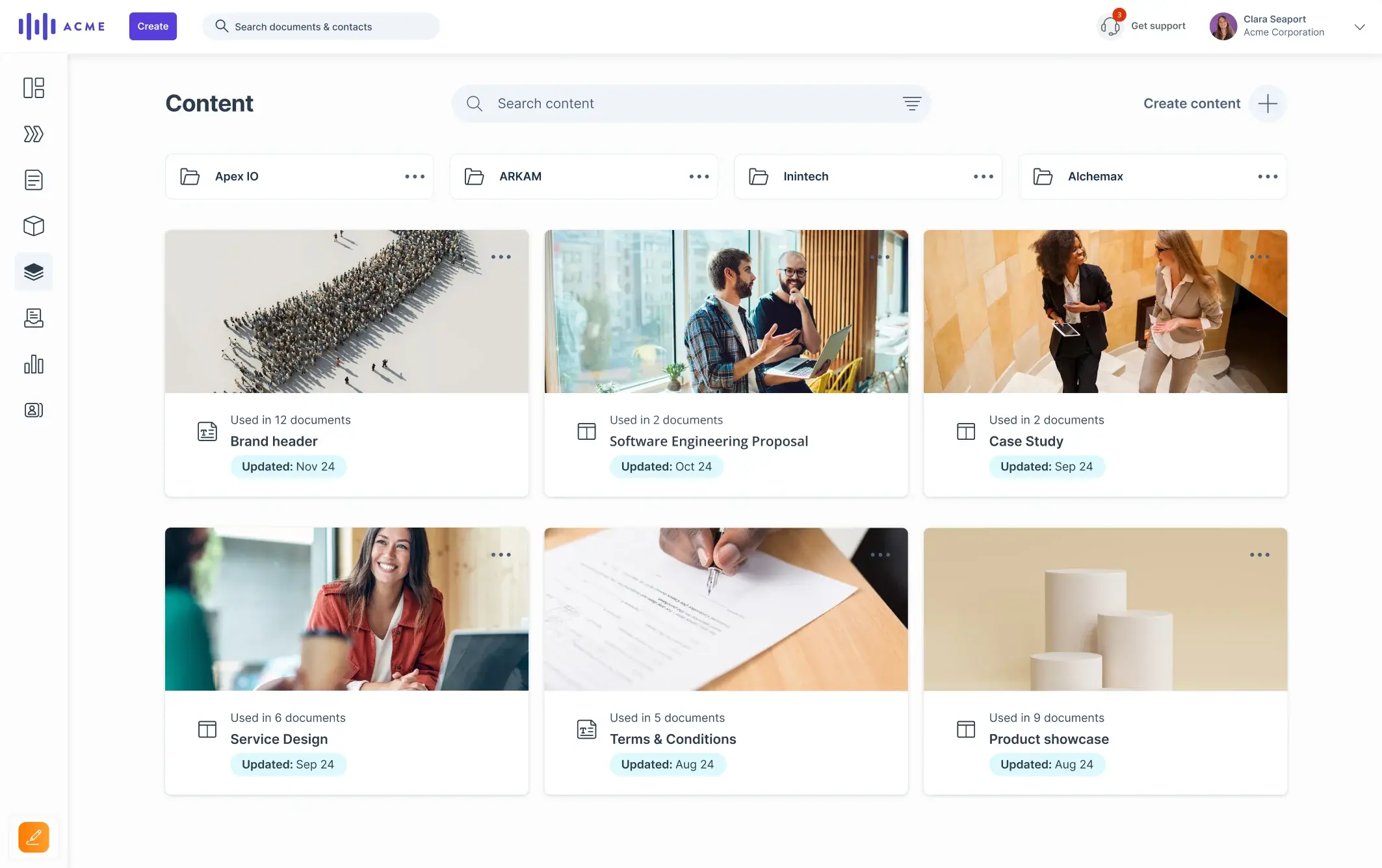
It is built to manage the proposal-to-signature phase of the sales cycle. Its digital sales rooms are tightly connected to documents, pricing, approvals, and e-signatures, making it easier for sales teams to standardize how they close deals and reduce time-to-sign.
As a result, teams use GetAccept to:
Read more about why deal rooms might be a better alternative to CPQ tools here.
Some teams evaluating Dock or GetAccept are looking specifically to reduce manual follow-up and admin work tied to deal progression and sales to CS handoffs.
Flowla is typically considered in those scenarios. Rather than just unifying the content and actions in a single space or offering document management, Flowla focuses on automating parts of the revenue workflow, such as follow-ups, handoffs, and deal-related tasks.
Dock and GetAccept overlap in the “shared buyer space” category, but they differ in what they’re optimized to run. Dock is generally built around ongoing workspaces you can use across stages; GetAccept is generally built around proposal, contract, and signature workflows with deal rooms as the delivery layer.
The differences show up clearly when you compare core capabilities side by side.
Dock centers on workspaces that can be used for sales rooms, onboarding plans, client portals, and other customer-facing hubs. Its template ecosystem includes a dedicated digital sales room template designed to centralize collateral, track engagement, and guide stakeholders through decisions.
GetAccept’s Deal Room is positioned as a buyer-facing space tied closely to proposals and engagement signals, emphasizing real-time insights into how prospects interact with proposals and the ability to map stakeholders when content is forwarded.
Our verdict
How Flowla compares
Flowla also uses buyer-facing rooms, but explicitly couples them with workflow automation (e.g., follow-ups and handoffs) as a primary use case rather than just a place to store content and actions.
Dock is built to connect the revenue tool stack and automate workspaces from CRM, with collaboration-oriented integrations (e.g., Slack) and the ability to sync customer records and onboarding plans, pointing to stronger cross-functional usage across Sales + CS.
GetAccept collaboration tends to be deal-room + document-centric, with engagement analytics framed around proposal interaction and stakeholder mapping when content is forwarded (useful when buying committees expand late).
Our verdict
How Flowla compares
Flowla supports collaboration, but focuses more on what happens next, for example, prompting follow-ups when engagement drops or generating handoff notes when the deal is closed, reducing manual admin around deal progression and post-close.
This is where Dock and GetAccept diverge most clearly.
Dock does not aim to be a proposal or contract system. Most teams use Dock alongside existing tools like PandaDoc or DocuSign, with Dock acting as the workspace around those documents rather than the place where they’re created or signed.
GetAccept is built specifically for this stage of the deal. Proposals, pricing, approvals, contracts, and e-signatures are native capabilities, making GetAccept a strong fit when closing workflows are the primary bottleneck.
Our verdict
How Flowla compares
Flowla supports proposal delivery and has a built-in e-signature feature as a part of the deal rooms but is typically used when those actions are part of a broader deal workflow, not the central focus of the tool.
Dock focuses automation on setup and structure. Basic automation, like workspaces created from CRM data and pre-filled with sections or templates, does reduce manual setup. Once the workspace exists, however, most follow-through – updating tasks, chasing next steps, coordinating handoffs – is still handled manually by the team.
GetAccept applies automation primarily to closing workflows. This includes reminders for document review, approval routing, signature tracking, and syncing deal status back to the CRM. Automation is tightly scoped to proposals, contracts, and signatures.
Our verdict
How Flowla compares
Teams typically look at Flowla when the issue isn’t just setting things up or closing, but the manual follow-up in between, e.g., prompting next steps after meetings, triggering handoffs from sales to CS, or nudging deals that stall without anyone noticing.
See an in-depth AI-powered DSR tools comparison here.
Both Dock and GetAccept offer engagement insights, but they answer different questions.
Dock focuses on workspace-level visibility. Teams can see how customers engage with the room as a whole: What’s being viewed, where activity slows, and which parts of the workspace are being ignored. The goal is to understand overall deal or account momentum, not just interest in a single asset.
GetAccept takes a more document-centric approach. Engagement tracking is closely tied to proposals and contracts: Who opened them, how long they spent reviewing them, and whether documents were forwarded internally. These signals are mainly used to help sales act quickly during the closing phase.
Our verdict
How Flowla compares
Teams often consider Flowla when they want engagement signals to result in action, such as triggering reminders or follow-ups, rather than serving only as reporting.
Dock integrates with core revenue tools across CRM, communication, and documentation. This includes HubSpot and Salesforce for deal and account data, along with tools like Slack, Google Drive, and Notion for collaboration and content. Integrations are primarily used to keep workspaces in sync with the broader revenue stack and reduce manual setup or duplication.
GetAccept integrates with a wider execution-focused ecosystem. In addition to HubSpot, Salesforce, Microsoft Dynamics 365, and Pipedrive, it connects with document and signing tools like DocuSign, PandaDoc, and Zapier, as well as email and calendar systems. These integrations are designed to automate proposal, contract, and signature workflows and keep execution data synced across systems.
Our verdict
How Flowla compares
Flowla integrates natively with HubSpot, Salesforce, and Attio, using CRM events (stage changes, new stakeholders) to trigger actions like follow-ups, handoffs, and workspace updates. It also connects with Slack, email/calendar tools, call intelligence software (Gong, Fathom), and hundreds of other services via Zapier, so engagement signals automatically drive next steps instead of relying on manual coordination.
Understanding pricing structures helps you anticipate not just cost, but how a tool scales with your team and use case. Dock and GetAccept take very different approaches, reflecting their core focus areas.
Dock offers a free tier with a limited number of workspaces, making it easy to pilot collaborative rooms without cost. Paid plans start at around $350 per month (for 5 users) and increase with additional seats and workspace capacity. The paid plans include features such as flexible workspaces, customer portals, onboarding plans, and integrations with content and collaboration tools. Dock also has custom enterprise pricing for larger teams and advanced governance needs.
GetAccept publishes a tiered pricing model with clear entry points. The eSign plan starts around $25 per user per month, focusing on electronic signatures and basic document workflows, while the Professional tier is around $49 per user per month (min 5 seats) with full proposal and deal room capabilities. Higher-tier or Enterprise plans add contract management, CPQ features, premium CRM integrations, and advanced automations. Users can also test the platform with a free trial, though there is no permanent free tier.
For comparison, Flowla’s pricing is publicly listed with a free Starter plan and transparent paid tiers. The Pro plan starts at around $49 per seat per month (including e-sign, analytics, and integrations), and the Team plan (~$79 per seat per month) adds automation workflows and reporting. Enterprise pricing is custom for larger organizations.
Based on how Dock and GetAccept differ across features and pricing, the right choice usually comes down to where friction shows up most often in your deals.
Dock is a better fit if:
GetAccept is a better fit if:
Flowla is typically considered when neither alignment alone (Dock) nor document execution alone (GetAccept) fully addresses the problem.
It’s a perfect fit when:
To ground the functional comparison in real-world experience, here’s an unbiased look at what verified users report on G2, based on public review data (pros and cons reflected from multiple reviewers on G2).
Users generally find Dock easy to adopt, strong at centralizing content, and effective for collaboration, but some experience bugs, integration gaps, and a modest setup learning curve.
What users appreciate about Dock:
I like how user-friendly and easy to navigate it is, allowing me to easily select an existing template my team has used before to build a presentation to onboard a client.
It eliminates the need for multiple attachments and constant updates, thanks to its single-platform feature that acts as a living repository for communications and files.
The structured portals, task tracking, and visibility into progress make it easy for everyone to understand their responsibilities and timelines.
The built-in chat support is a standout and is accessible, responsive, and genuinely helpful whenever questions come up.
Aside from encountering bugs, particularly around navigation or content management, common Dock limitations reported by users:
It lacks the deep flexibility you might find in a dedicated proposal tool, making it a bit of a struggle for more advanced deal structures. We also noticed limited formatting functionality that makes simple tasks, such as adjusting tables or column widths, feel more clunky than they should. On top of that, the design tools can feel a little rigid.
Initial learning curve can be steep for those who aren't overly tech savvy. Setting up the templates and getting all of your content into the tool requires a dedicated person on the project, but once set up it's easy to use and navigate.
I find Dock can occasionally feel overwhelming, particularly when navigating through long scrolls which make it difficult for prospective customers to find the necessary information.
GetAccept reviewers tend to highlight usability, CRM alignment, and execution efficiency as major strengths, while the most reported drawbacks relate to feature depth, template flexibility, and some integration complexity.
What users appreciate about GetAccept:
The Contract Room provides a clean and professional experience for both internal teams and customers, which has helped improve the overall contracting process.
The real-time tracking features give our sales teams actionable insights into buyer intent, helping us follow up at just the right moment. Integrations with our CRM (we use HubSpot) are seamless, saving time and reducing manual errors.
As an enabler, GetAccept makes it much easier to manage, organize, and update all our client-facing content. It helps ensure the team always shares relevant and up-to-date material.
I really appreciate having a dedicated support rep to help me get everything up and running.
Common limitations reported by GetAccept users are:
Customizing content is a little challenging. It feels clunky to adjust a bunch of blocks and organize to what you are trying to send to the customer.
The lack of flexibility in conditional templates forces us to duplicate contracts for minor variations, which has led to internal friction and unnecessarily complex processes.
There are some things we would like to see improvement on. More tools and features to help us manage unique deals. A lot of our offerings/Deals are "unique" in a sense that we need to customize a big part of the solution text.
We have encountered a few issues with the SF integration regarding outgoing forms getting stuck in the draft status.
When teams evaluate Dock and GetAccept, the conversation often lands on a simple insight: Neither tool fully addresses all the work a modern sales team actually does. Dock excels at collaboration and shared context, while GetAccept focuses on execution around proposals and signatures. But in practice, many teams struggle most with what happens between those stages — the manual follow-ups, the handoffs, and the coordination work that rarely lives in a single system.
Here’s how Flowla differs in ways that matter for those teams:
1. Workflow automation where teams actually need it
Both Dock and GetAccept simplify specific parts of the process. But neither tool automates the repetitive coordination work that spans multiple stages. Flowla uses CRM and engagement signals (such as stage changes, meeting outcomes, or stakeholder activity) to trigger actions – follow-ups, reminders, and task creation – instead of leaving them to manual tracking and individual memory.
2. Continuity across the revenue journey
Dock workspaces can persist across stages, and GetAccept rooms are strong for proposal/contract execution. But in neither tool is there a built-in emphasis on moving the work forward across stages.
Flowla’s design connects:
This continuity means teams spend less time “exporting” deal context from one tool to another as they move from sales to customer success.
3. Actionable integrations
Dock uses CRM primarily to align workspaces with deal data, and GetAccept uses CRM to sync document activity and pipeline status. Flowla also integrates with CRMs like HubSpot, Salesforce, and Attio but the focus is more on using CRM events as triggers for next steps than simply reflecting status.
For example:
This approach reduces the manual administration that many teams say still takes priority over strategic work.
4. From signals to outcomes
Both Dock and GetAccept give you visibility into engagement, either at the workspace level or at the document level. But visibility on its own doesn’t reduce work. Someone still has to act on it. Flowla’s engine is built to turn those signals into outcomes that require less manual intervention.
That can look like:
5. Predictable pricing with early access to automation
In addition to a free tier that makes it easy to pilot the product early, Flowla has a credit-based system to give teams earlier, more flexible access to workflow automation capabilities. Instead of committing upfront to advanced plans, teams can apply credits to automate high-impact workflows based on actual usage.
So, if you’re comparing Dock and GetAccept because deals tend to stall after meetings or handoffs create unnecessary admin work, Flowla is worth exploring alongside them.
Flowla focuses on automating the follow-through that usually happens outside proposals and workspaces, while fitting into your existing CRM and sales stack. And right now, you can start small and see where automation actually removes friction in your own deal flow.
See how it can help you save 10 hours a week with AI workflows that automate sales & onboarding.
Book a quick walkthroughBook a 15-minute chat with a product expert. We'll walk you through every step of the way as you get set up.
.webp)
.webp)


.webp)

.webp)
.webp)
.webp)




.webp)
%20(3).webp)
.webp)
.webp)


.webp)
.webp)
.webp)
.svg)

.webp)
.webp)