.webp)
.webp)


.webp)

.webp)
.webp)
.webp)




.webp)
%20(3).webp)
.webp)
Know every player in the deal.
See the whole buying committee, who's engaged, who's silent, who's missing, before it costs you the deal.


The map builds itself from what's already happening
No manual entry. Every contact who touches the deal gets identified and tracked automatically, including the ones who never show up at all.

Spot the shadow decision maker.
The moment a name comes up on a call, REX adds them to the map, tags their role, and tells you where they came from, before they ever visit the room.
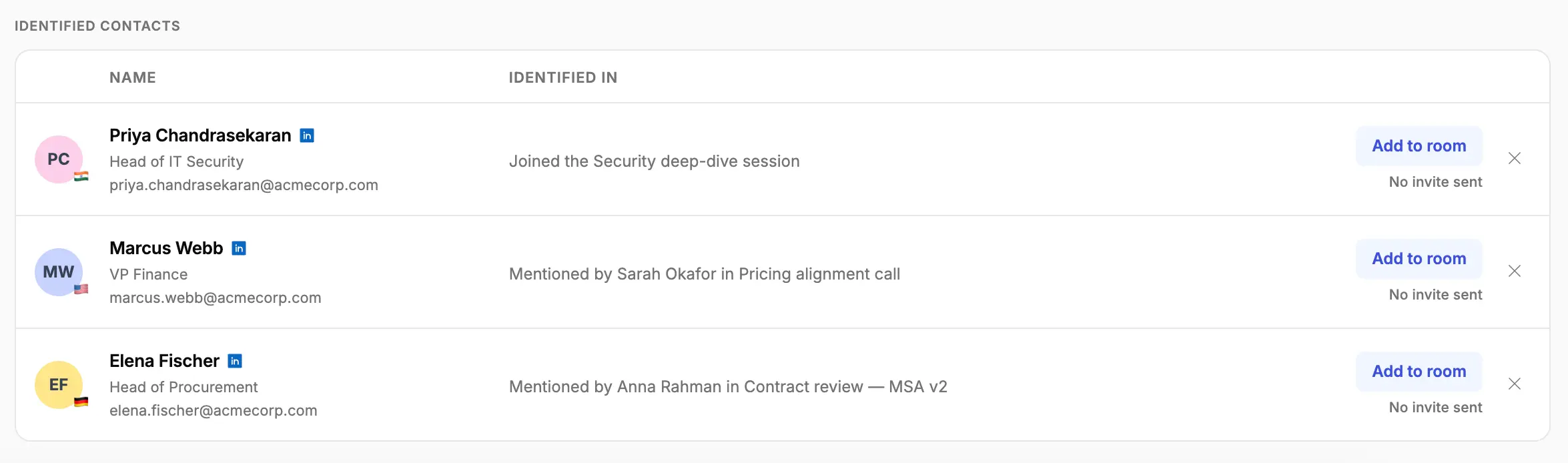
The full picture of every stakeholder
Every score, every visit, every quote, pulled together automatically from wherever it happened.
- Influence and risk, scored from real engagement, not a rep's gut feel
- Room engagement, when they joined, when they last visited, how many times
- Signals like urgency, objections, and concerns, flagged the moment they happen
- Direct quotes from meetings, each one traced back to the exact call and date
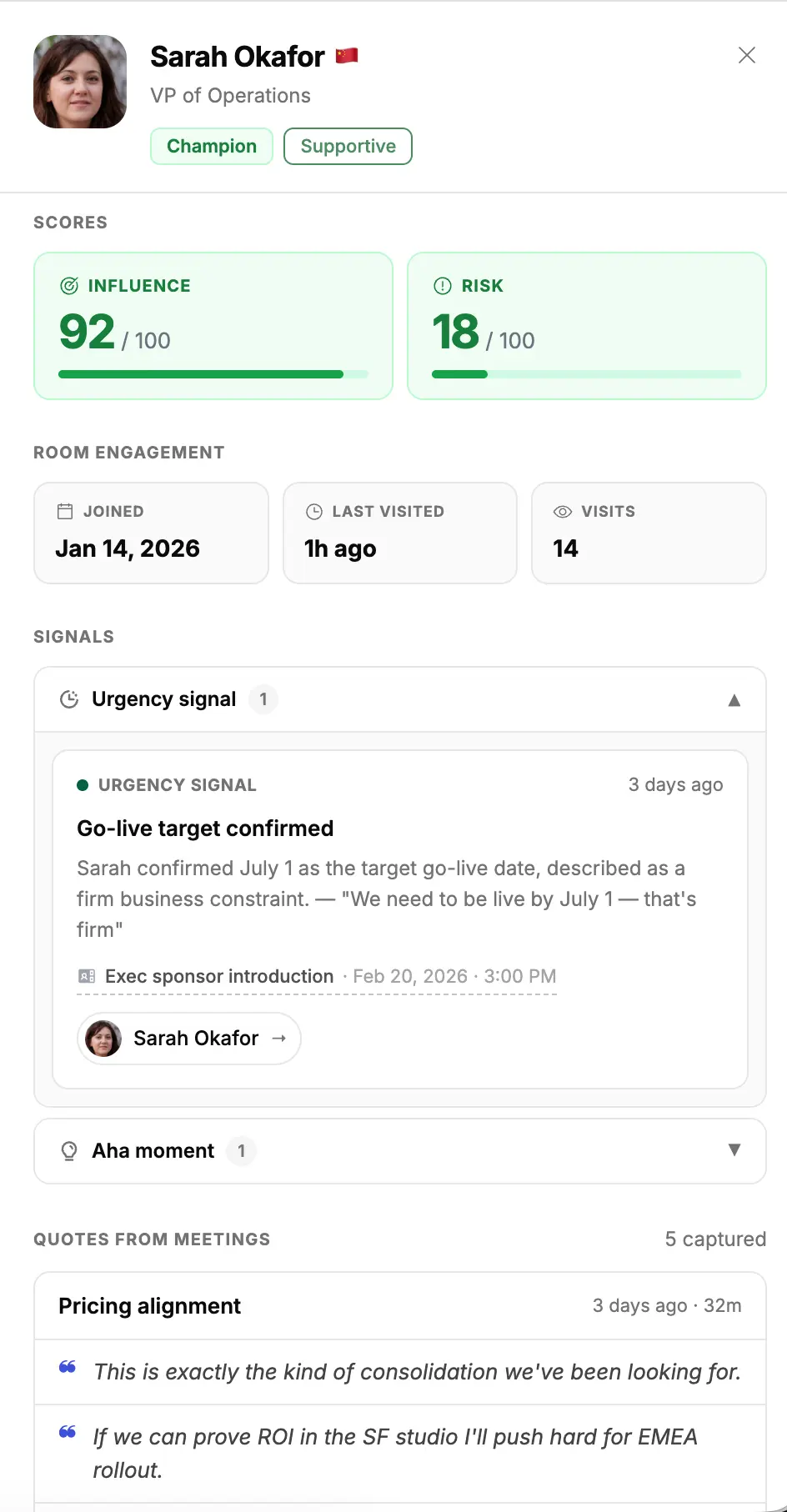
High influence, low risk, and the quotes that back it up.

A budget-timing risk, flagged the moment it was said, linked back to the call.
Frequently Asked Questions
How does Flowla identify contacts?

From your CRM, from calls where they’re mentioned or attend, and from anyone who visits the room. However they show up, Flowla adds them to the map and enriches what it knows about them automatically.
Can I edit roles and tags manually?
Yes. Roles like Champion or Economic Buyer are assigned automatically based on activity, but you can adjust them on the fly, add custom roles, and favourite key people for quick access.
Does this sync with my CRM?
New stakeholders identified in the room are automatically enriched and synced with your CRM, so the record stays current without anyone updating it by hand.
What if a key stakeholder never engages?
That gap shows up on the map itself. A contact who’s never visited the room or joined a call is marked as not in the room, so a single-threaded deal is visible long before it stalls.
Can I search or add notes on a stakeholder?
Yes. Search the map by name, role, or tag, and leave notes directly on any contact. Notes follow the deal, so the context stays with the record even if it changes hands.
See who's really in the room
Map your next deal's buying committee before it costs you the deal.
.webp)
.webp)
.webp)
.webp)
.svg)

.webp)
.webp)