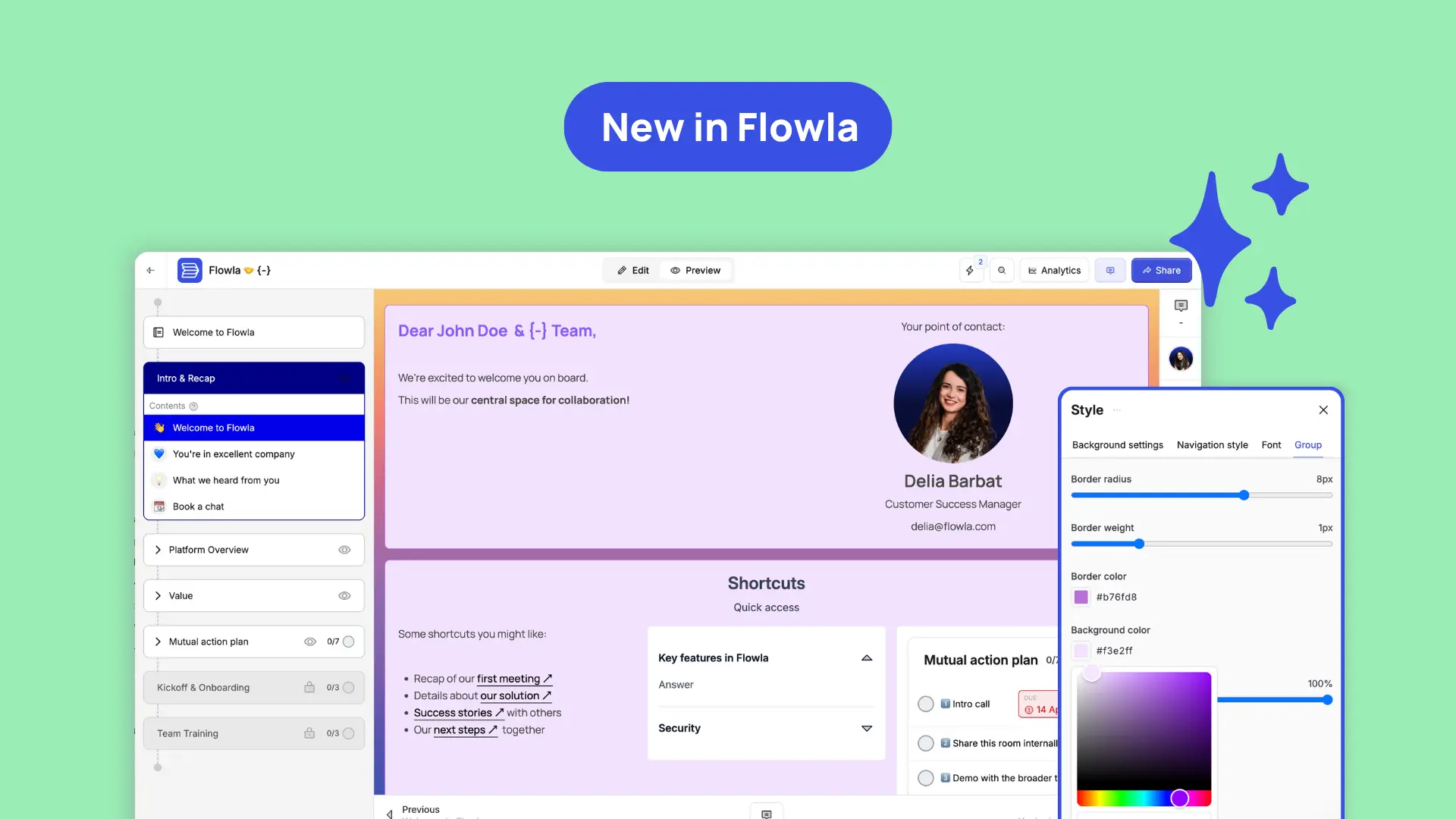
Flowla's April 2026 release connects your meeting intelligence, CRM data, and buyer-facing rooms in ways that previously required manual work.
Welcome to Flowla's April 2026 product update. 👋
Most Flowla teams were already building rooms. What was missing was the connective tissue: calls that didn't sync automatically, CRM data that had to be copy-pasted in, assets that got built in separate tools and uploaded manually.
The April release closes most of those gaps: a rebuilt editor with full layout flexibility, automatic meeting sync that keeps your rooms current between calls, AI blocks that turn transcripts into client-ready assets, and a revamped Salesforce app that puts your room experience inside the opportunity panel.
Below is a full breakdown of what's new and how teams can use it 👇
Every deal is different, your content should reflect that.
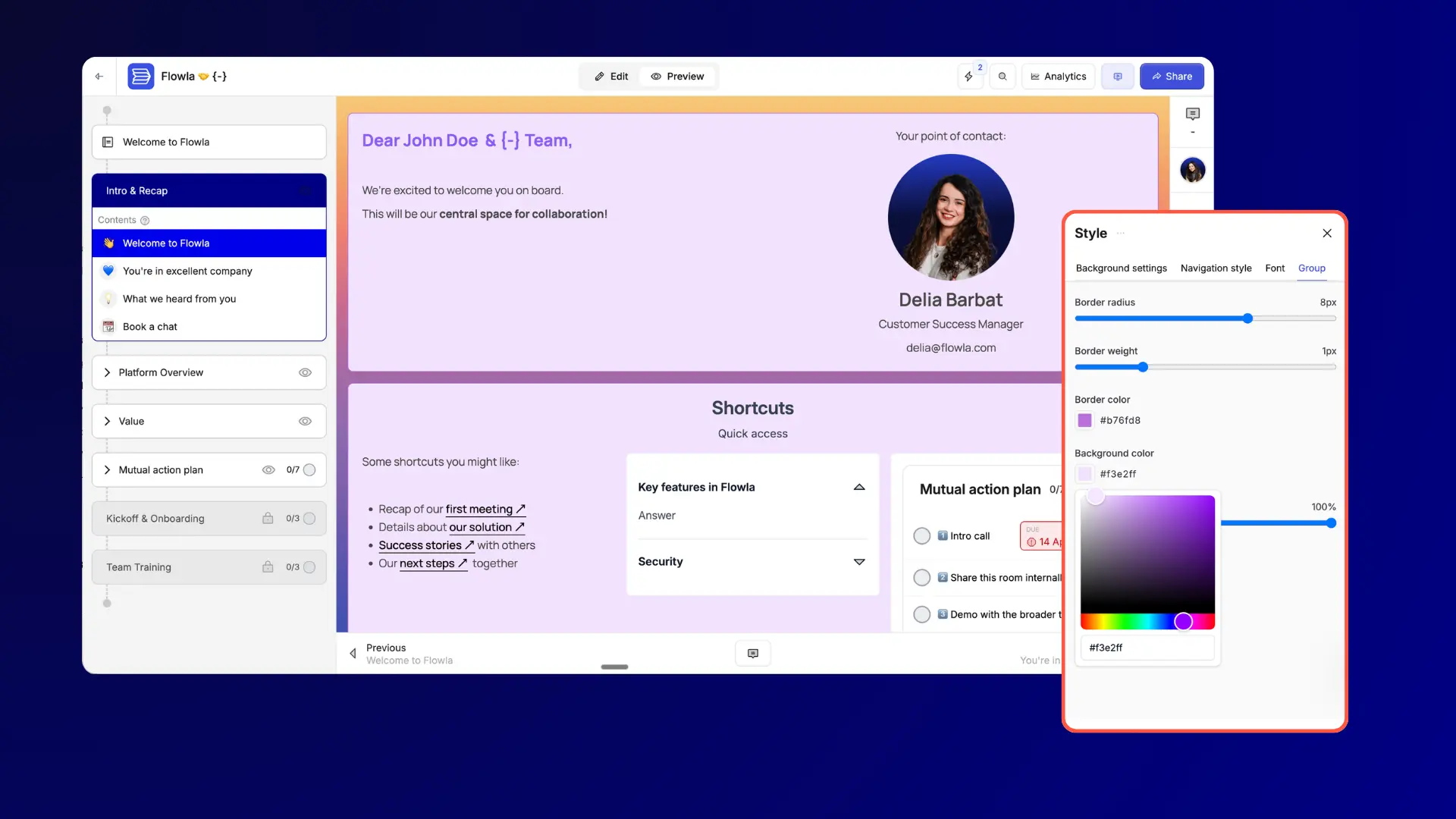
The Flowla editor has been rebuilt with full layout control. Content can now be organised into groups: top-level containers that can hold up to three columns and be styled independently or globally across the room. Inside each group, you can place any combination of content blocks. Every group and every block is freely draggable, so reordering your layout takes seconds.
What's new?
Who this is for
Most relevant for AEs crafting a white glove buying experience for each account, CS teams building onboarding or QBR rooms that need to mirror the client's workflow, and marketing teams managing co-branded or partner-facing content.
Why this matters?
Sales teams can build an intentional, white glove buying experience for clients, with custom assets that mirror the client’s brand and process.
For CS teams, it means you can organise content around how the client works rather than fitting everything into a fixed format. Onboarding hubs and QBR rooms can reflect the client's terminology, priorities, and structure.
Pull in existing case studies, one-pagers, or recorded demos directly inside the editor, without downloading and re-uploading files. And because content blocks can be saved back to the library, anything you build in one room can be reused in the next.
Login here to give it a try.
Here is how meeting intelligence usually works in practice: a call ends, your note taker produces a summary, and someone (usually the rep) manually copies relevant information into the deal room. If that step gets skipped, the room falls behind. Context gets lost between calls. The buyer shows up to the next meeting and nothing has been updated.
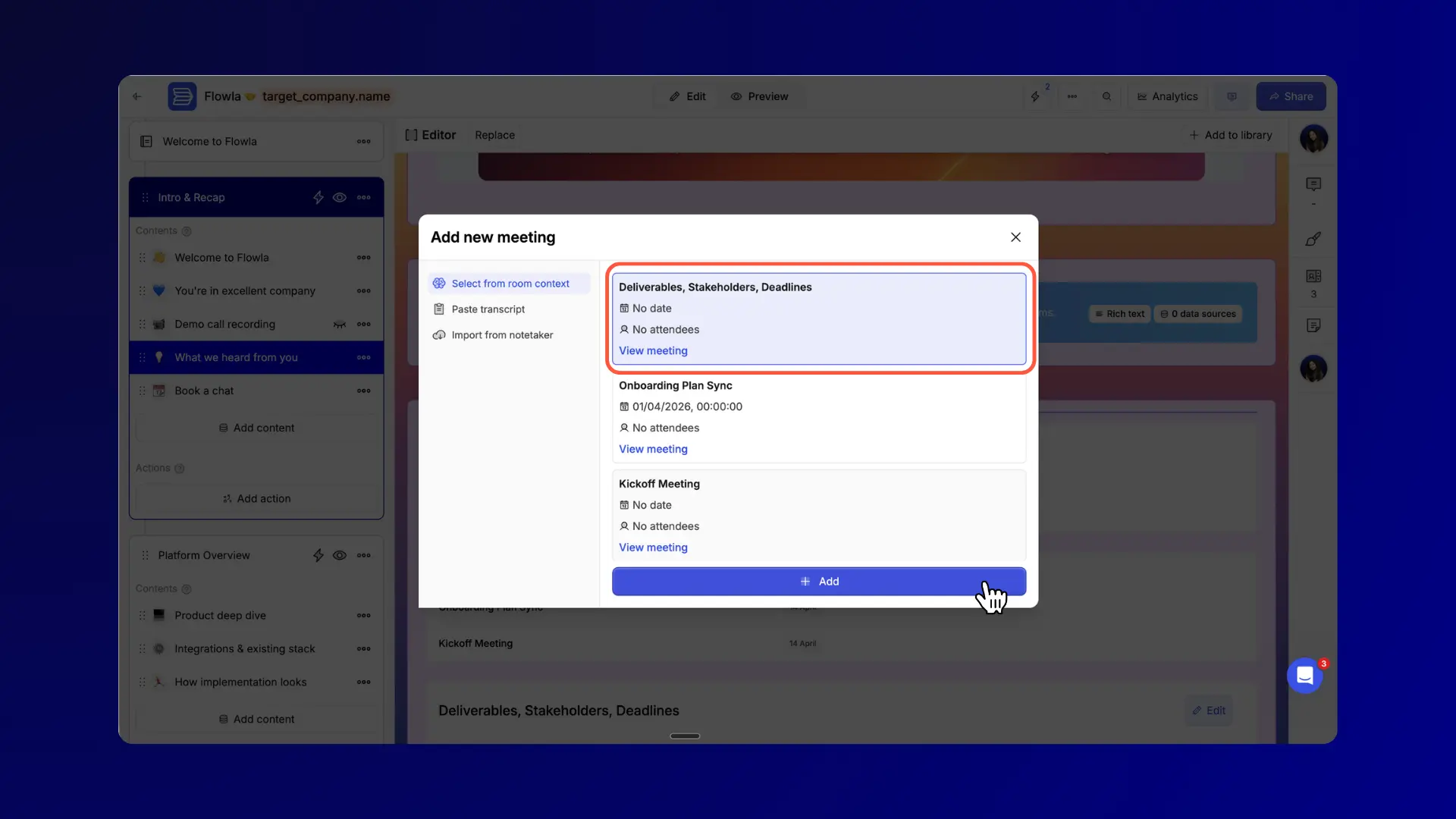
Flowla now handles the matching and syncing automatically. When a call ends and your note taker has joined, Flowla detects the meeting, matches it to the right deal room based on participant emails and company domain, and adds it to that room's meeting repository. No setup required per meeting.
What's new?
Who this is for
Most relevant for AEs managing multiple active deals, and meeting heavy deals. For CS teams running long-term accounts, and any team where deal coverage changes and context needs to transfer quickly.
Why this matters?
For reps, auto-sync removes a consistent source of admin. The room stays current between calls without any action from the rep.
For buyers, the meeting archive gives them a single place to revisit what was discussed, what was decided, and what comes next, without digging through email threads.
For CS teams running long-term accounts, the meeting repository means any team member who joins an account has full context from day one. When coverage changes, ramp-up time drops significantly because the conversation history is already in the room.
Common use cases
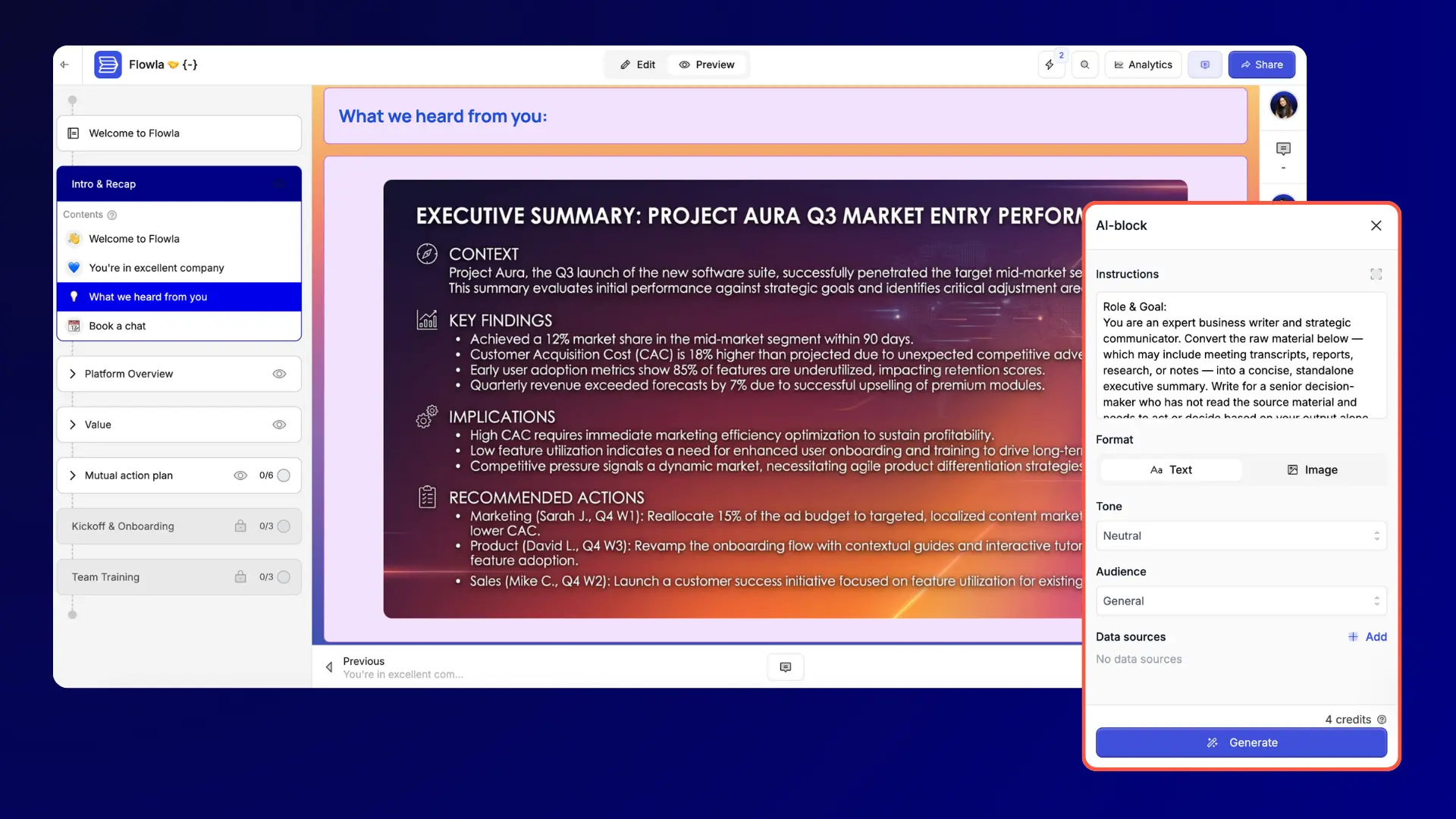
After a good discovery call or demo, the follow-up matters. In practice, putting that together takes time: pulling from the transcript, formatting it, making it look presentable, getting it into the room. For many teams, it takes most of the afternoon.
What's new?
Who this is for
Most relevant for AEs who need fast, polished follow-up after demos, and CS teams producing account-specific materials like business reviews or onboarding summaries.
Why this matters?
For AEs, the main value is time and zero friction. The asset is built where it will be delivered, no download, no re-upload, no reformatting. Champions can share it internally without forwarding files.
For CS teams, AI blocks are particularly useful for building account-specific one-pagers that previously required a designer or an hour in Canva. The transcript already contains the information. AI blocks put it in a format worth sharing.
Common use cases
Take a closer look here.
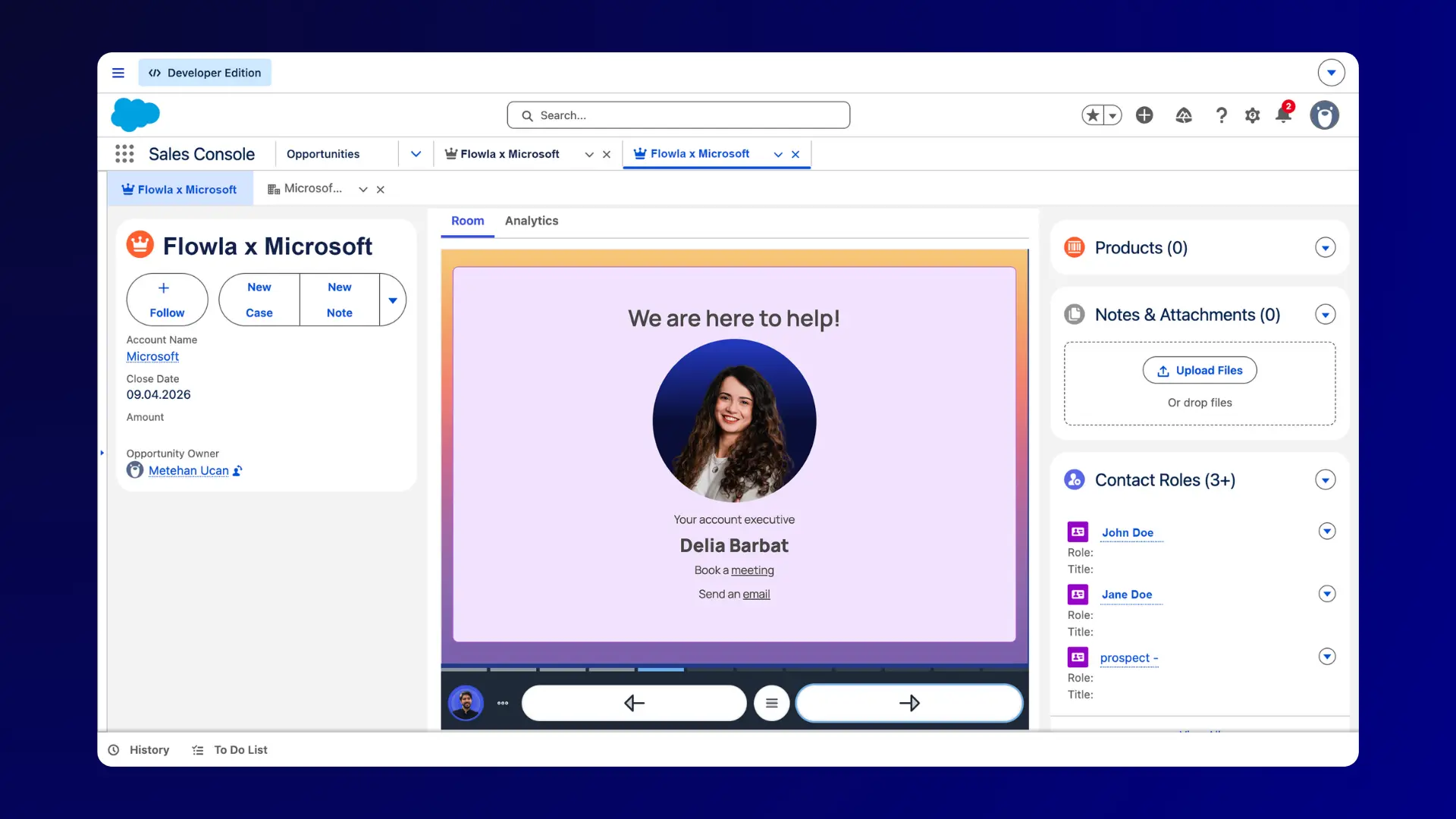
Flowla has always surfaced deal activity inside Salesforce: views, completed actions, and engagement events. What this release adds is the embedded room view: instead of clicking a link that opens Flowla in a new tab, reps and managers can now see the full room directly inside the opportunity panel. The experience looks and behaves the same way it does in Flowla, no context switching required.
What's new?
Who this is for
Most relevant for sales managers doing pipeline reviews, and AEs who want to spot re-engagement signals without leaving their CRM.
Why this matters?
Pipeline reviews can now include real buyer engagement data, not just rep status updates. A deal that looks stalled in the CRM might show active room views in the last 48 hours. A deal that looks healthy might show zero buyer engagement since the proposal was sent. That context changes how you coach.
For AEs, seeing room activity inside Salesforce means you can spot re-engagement signals earlier and follow up at the right moment, rather than waiting for a buyer to reply to an email.
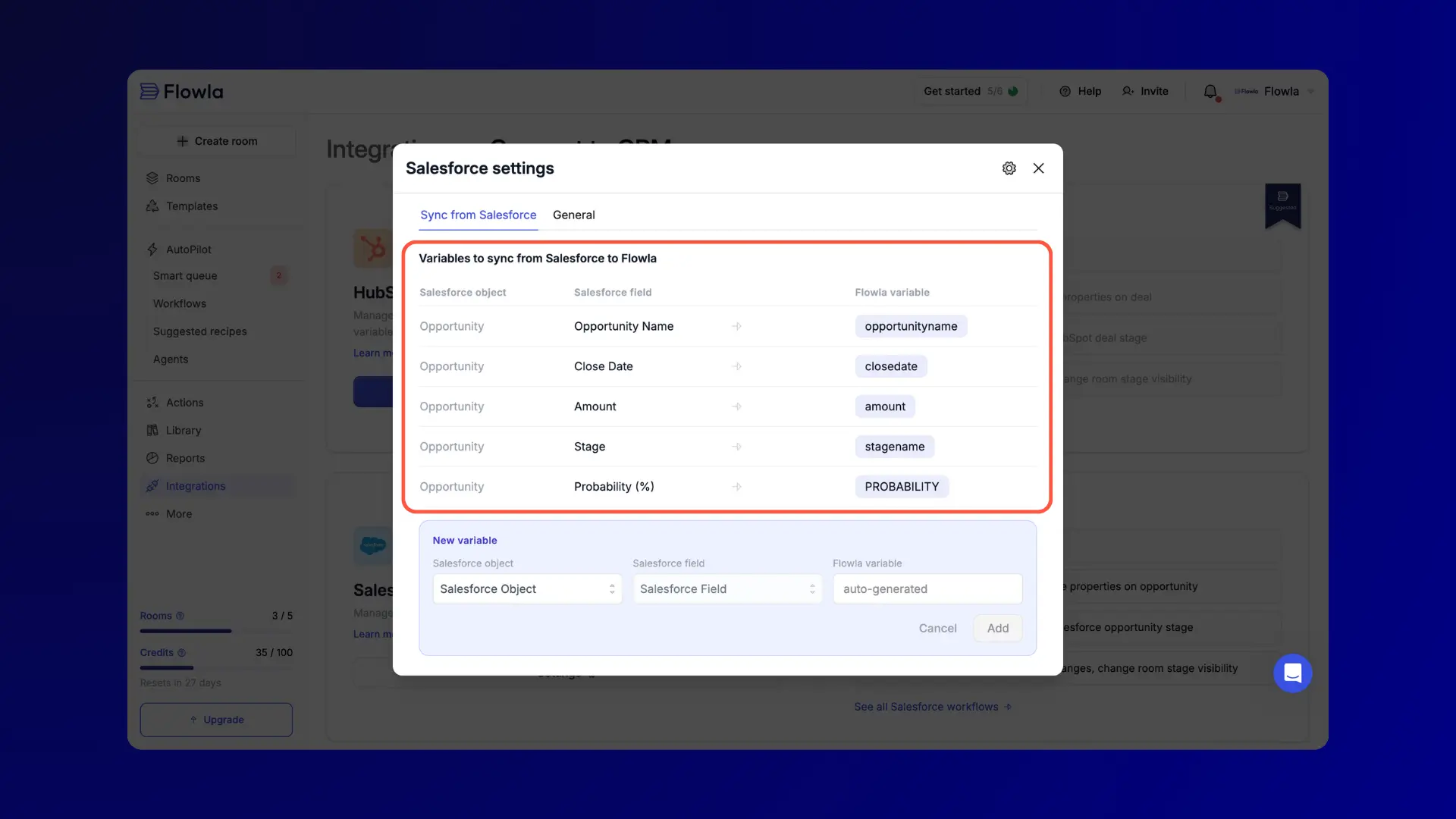
Personalised rooms require accurate, up to date data. Pulling deal details, contact names, and company information from your CRM into a room manually creates a maintenance problem: the moment something changes in Salesforce or HubSpot, the room is out of date.
CRM field sync solves this at the source.
What's new?
Who this is for
Most relevant for RevOps teams managing room templates with personalisation tokens, and AEs sending rooms at scale where manual data entry creates errors or delays.
Why this matters?
For teams using room templates with personalisation tokens, this gives you further flexibility and control on the different variables you can include in your assets & rooms.
For RevOps teams building automation flows, synced fields become reliable inputs that don't require manual maintenance, which matters when you're running automations across hundreds of active deals.
Single Sign-On (SSO) via OIDC
Your team can now sign into Flowla via Single Sign-On using any OIDC-compatible identity provider, including Okta, Azure AD, and others. You can click "Log in with SSO" and authenticate through their existing identity provider. Flowla respects your organisation's access policies automatically, so off-boarding and permission changes don't require separate action in Flowla.
Granola integration
Flowla now integrates with Granola, the AI meeting notes app. Pull a Granola note directly into Flowla via the "Add a call" flow, including date, title, notes, and transcript. Or paste a Granola note link and Flowla fetches the details automatically. Notes sync to Meetings and transcripts are available for use in AI blocks and automation workflows.
Domain blocking
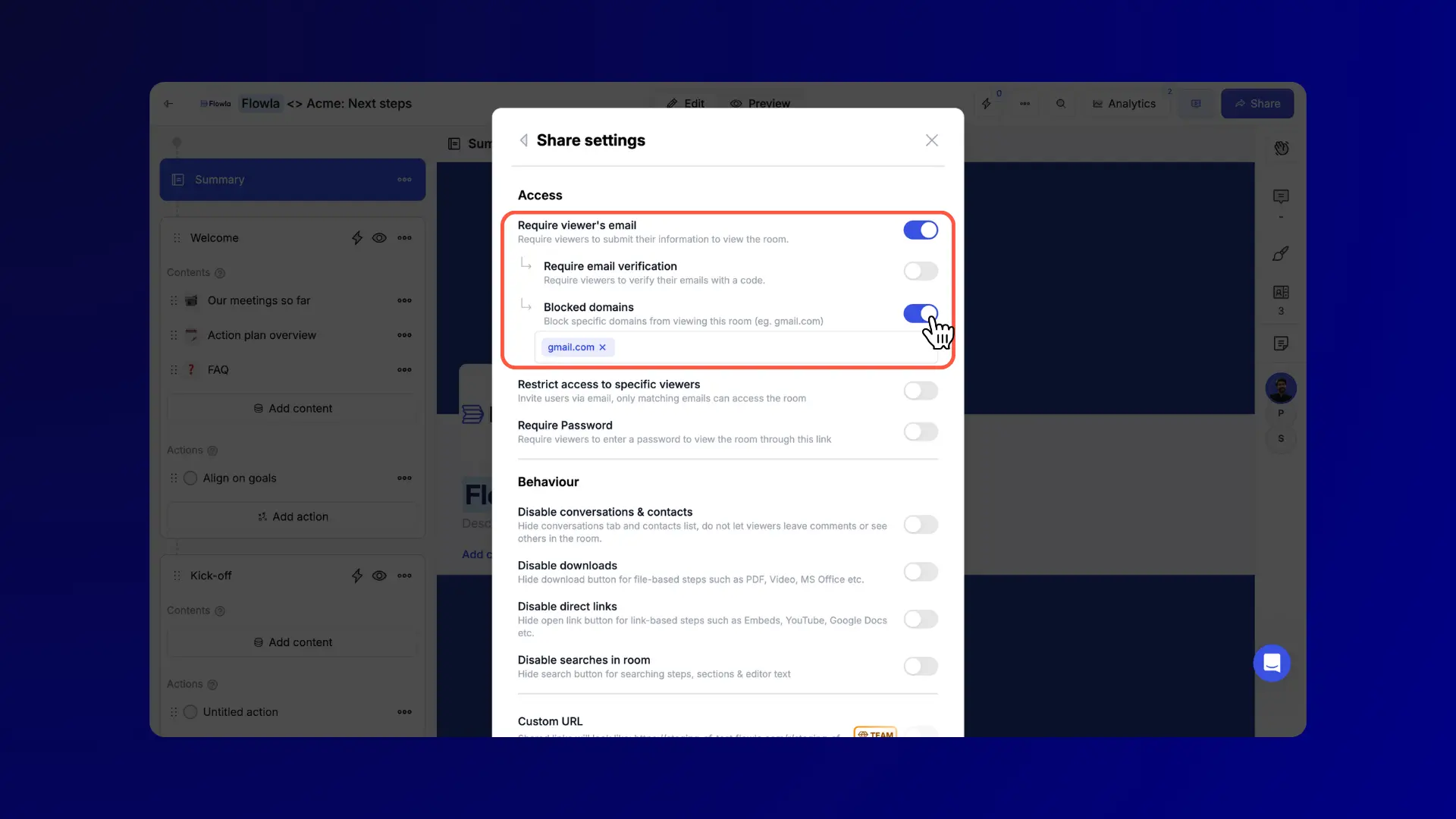
You can now block specific email domains from accessing a room via share settings. Add domains to a block list directly from the room's share settings panel. Useful for keeping competitors or former employees out of active rooms. Anyone from a blocked domain who tries to access the room via email verification will see a clear blocked access page.
This release pushes Flowla further toward a single workspace where your deal intelligence, your buyer-facing content, and your CRM data all stay connected without manual effort to keep them in sync.
If you're already using Flowla, and need help getting set up, book a call here with your account manager.
If you're new and want to see how these features work in practice for your specific sales or onboarding motion, book a call with us and we'll walk you through it.
As always, feel free to share your feedback or suggestions. 💙
Does meeting auto-sync work with all call recorders?
Currently, auto-sync works with Fireflies, Gong, and Fathom. Granola is also supported via the new Granola integration, where you can paste a note link and Flowla fetches the transcript automatically. Flowla also connects with most other tools via Zapier.
What does the freeform editor replace?
The freeform editor replaces the previous editor with a fully rebuilt version that adds group containers, multi-column layouts, and inline block placement. Existing rooms are not affected, but any new content added will use the updated editor.
What can AI blocks generate?
AI blocks generate images (infographics, diagrams, visual summaries) and text (written summaries, follow-up content, structured next steps) directly from call transcripts inside the room. Text generation uses 4 credits per block. Image generation uses 8 credits per block.
Which CRMs does field sync support?
HubSpot and Salesforce are both supported. You can configure which Deal, Contact, and Company properties to pull, and those fields stay current automatically when values change in your CRM.
What identity providers does Flowla's SSO support?
Flowla's SSO uses OIDC, which is compatible with Okta, Azure AD, and any other OIDC-compliant identity provider.
Can I block competitors from accessing a deal room?
Yes. The domain blocking feature lets you add specific email domains to a block list from the room's share settings. Anyone from a blocked domain who tries to access the room via email verification will see a blocked access page.
Where does the room preview appear in Salesforce?
The room preview appears as an embedded panel inside the Salesforce opportunity view, alongside deal data. Room analytics (views, engagement, time spent) are also visible in the same panel without needing to open Flowla separately.
Is CRM field sync available for both HubSpot and Salesforce users?
Yes, both are supported. The sync configuration is set per room or template and updates automatically when values change in the CRM.
Get a personal walk-through to explore the latest Flowla updates and how they work in real sales and onboarding scenarios.
Let's chat!Book a 15-minute chat with a product expert. We'll walk you through every step of the way as you get set up.
.webp)
.webp)
.webp)


.webp)

.webp)
.webp)
.webp)




.webp)
%20(3).webp)
.webp)

.webp)

.webp)
.webp)
.webp)
.svg)

.webp)
.webp)